Every buying guide on this topic has the same problem. Tipalti's guide says Tipalti is number 1. Sanso's guide leads with Sanso.
You get a list built by a vendor in the category; you're rarely getting a neutral look at what actually separates the options.
The question "which invoice automation software is best?" is the wrong question.
The right question is: what does your invoice volume actually justify paying for?
According to Ardent Partners' 2025 Accounts Payable Metrics That Matter report, the average cost to process a single invoice is $9.40. Best-in-class organizations bring that down to $2.78. That gap is real, but it's not closed by picking the "best" brand. It's closed by matching your process to a buying model that fits your scale.
Here's what separates the options, what independent research says invoices actually cost, and how to figure out which category you belong in.
What Invoice Automation Software Actually Does
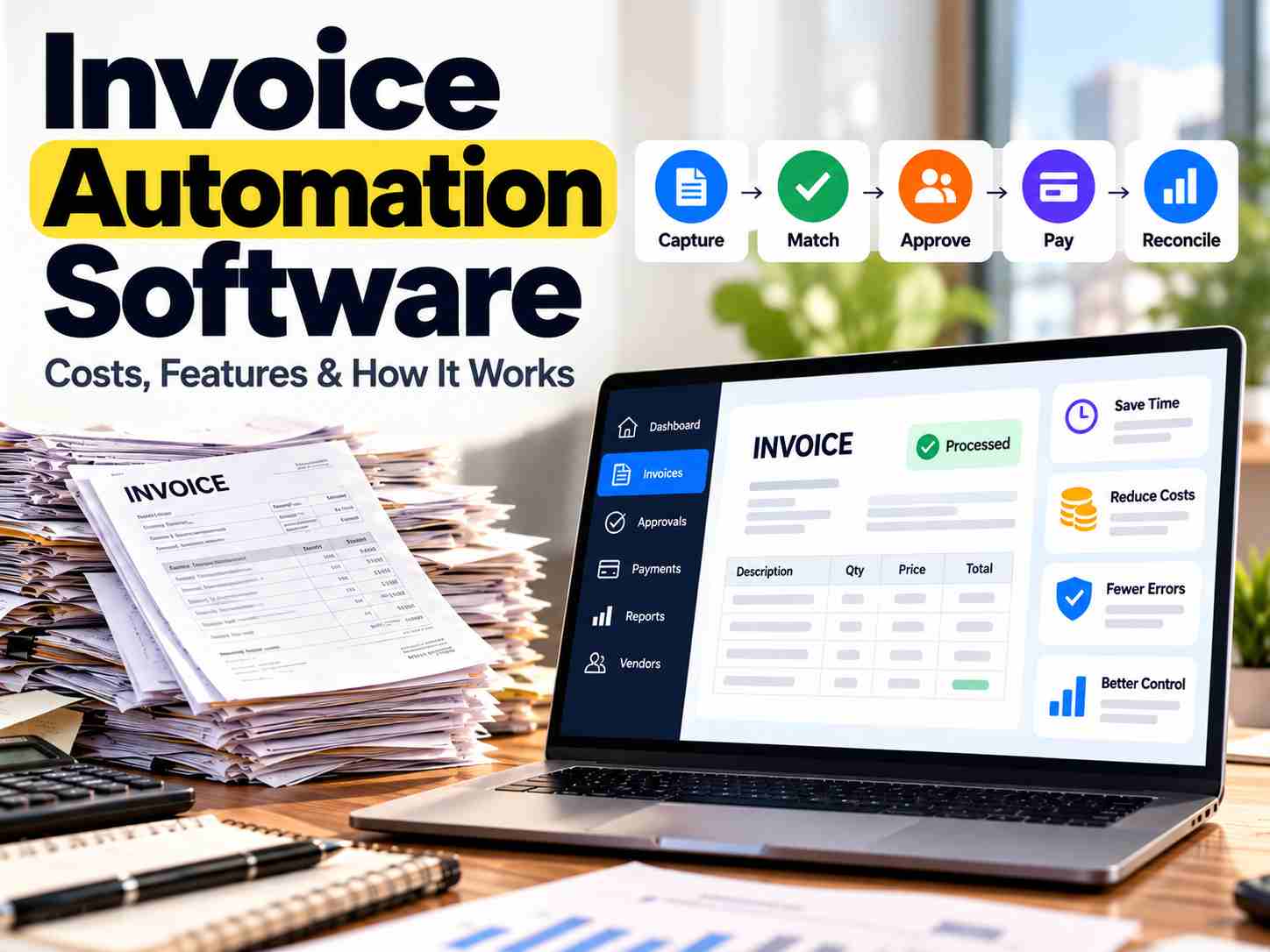
Invoice automation software captures invoice data automatically, checks it against purchase orders or receipts, routes it for approval based on rules you set, and pushes the approved record into your accounting system for payment.
The goal is to remove the manual data entry that saves time, but it does not take away human judgment entirely.
Most invoice automation software typically handles 5 steps:
Capture — Pulling data from a PDF, scanned image, or email using optical character recognition and machine learning
Matching — Comparing the invoice to a purchase order or a delivery record
Approval routing — Sending the invoice to the right person based on amount or department
Payment queuing — Lining up the approved invoice for the next payment run
Reconciliation — Recording the payment back against the invoice in your books
What Invoice Automation Software Actually Saves You
Ardent Partners reports average costs per invoice ranging from $9.40 to $12.88 depending on the report year. APQC's cross-industry benchmarking puts the median cost to process a supplier invoice at $6.00, though that number includes heavily automated service-industry AP departments processing simple invoices. IOFM's median sits at $7.90.
The difference is that they come from different surveys, different years, and different definitions of what counts as "cost."
Ardent's 2025 data shows top-performing teams process invoices in 3.1 days, while the all-buyer average is 10.9 days. Best-in-class teams maintain a 9% exception rate versus 22% for the industry average.
The smarter move is to calculate your own cost per invoice using your team's loaded wages and current volume, then compare that against the range. That gives you a real picture.
Three Ways to Buy Invoice Automation, Not One
When distinct options are grouped without accounting for their differences, results can oversimplify the decision and make it harder to choose confidently.
1. Dedicated accounts payable software.
Companies like Tipalti, BILL, and Airbase sell purpose-built products with OCR, matching rules, and approval routing already configured. Your team still owns the process. Someone sets the rules, watches exceptions, and manages the vendor relationship.
Tipalti's Select plan runs $99 per month, and Advanced at $199, with Enterprise pricing on request. BILL starts at $49 per user per month for Essentials, with per-transaction fees.
2. No-code or workflow-builder approach.
Platforms like Softr or Stepper give you the building blocks: a database, a form, an automation trigger, an AI extraction step. You assemble your own invoice process around tools you already use. The trade-off is longer setup. The benefit is a workflow that matches your exact process instead of forcing your process to fit someone else's assumptions.
3. Managed service.
Companies like Sanso take over the actual work of invoice capture and validation rather than handing you a dashboard to run yourself. You get the outcome without staffing the process. The catch is less direct control over how exceptions get handled.
Your Invoice Volume Decides More Than Any Feature List
A 10-person company processing 40 invoices a month and a 300-person company processing 4000 have almost nothing in common as buyers. Even though both are searching the same query.
If you process fewer than 50 invoices a month and nobody on your team is specifically responsible for accounts payable, you probably don't need a separate AP platform. Managed service or the invoicing tools already included in your accounting software will usually be enough. Your invoice volume is too low to justify the time and effort of setting up and managing another tool
50 to 500 invoices per month. If you already have someone handling accounts payable, even part-time, a dedicated platform with OCR, two-way matching, and basic approval routing starts to pay for itself. At this volume, the gap between manual and automated cost per invoice adds up into real annual savings. For a company processing 500 invoices a month at the Ardent manual average of $12.88, the annual cost approaches $77,000. At best-in-class automation rates, that same volume costs under $17,000.
Over 500 invoices per month. Especially across multiple entities, currencies, or ERPs, you need three-way matching, multi-entity controls, and direct ERP integration. This is where global payables platforms earn their higher price tag, because the manual alternative would require hiring additional AP staff.
International suppliers. If your invoices come from overseas, tax compliance and multi-currency payment support move up the priority list ahead of everything else. A mismatched W-8 form or a missed sanctions check costs far more than a slow approval workflow.
The E-Invoicing Shift That Changes the Category
The Federal Reserve and the Business Payments Coalition, a nonprofit network of more than 600 organizations, built a national e-invoice exchange framework. They handed oversight to a new nonprofit called the Digital Business Networks Alliance. The framework works like email: a business connects once through an access point provider, then exchanges structured invoice data directly with any other connected business.
It uses a four-corner model already proven in Europe's Peppol network, with UBL 2.3 as the invoice format. Early participants include Chevron, Microsoft, and SAP.
For a buyer today, this matters less as an immediate requirement and more as a signal. Buying capture technology, tools built for scanning and correcting PDFs, is a stopgap. Buying exchange-ready technology, tools built to send and receive structured invoice data directly, is where the category is heading.
What to Check Before You Sign
A short list separates genuinely useful invoice automation software from a tool that adds a login screen without removing work:
Capture accuracy across your actual document types, not just clean PDFs
Two-way or three-way matching against purchase orders and receiving records
Approval routing you can configure by dollar amount and department without a developer
A two-way sync with your accounting platform, QuickBooks, Xero, NetSuite, or Sage
Duplicate and fraud detection that flags a suspicious invoice before payment
An audit trail detailed enough to survive a real audit
One piece of advice that applies regardless of which tool you choose: ask any vendor to run a demo using your own invoices, not their sample data. The gap between a polished demo invoice and the messy scan your actual supplier sends is where most disappointment starts.
Conclusion
The best invoice automation software fits your volume, process ownership, and systems.
Pull your invoice volume for the last 3 months. Calculate your loaded cost per invoice using your AP team's wages. Then look at the volume tiers above and see which category you actually belong in. That number will tell you more about what you need than any ranking, including this one.
Frequently Asked Questions
What's the real difference between invoice automation software and a managed AP service?
Software gives your team the tools and expects someone to run them. A managed service does the work itself, using your team only to handle exceptions the AI genuinely can't resolve. The trade-off is control versus convenience. Software gives you more visibility and control. Managed services save you more time but require trusting someone else to handle your vendor relationships.
Can invoice automation software connect to QuickBooks or Xero?
Most modern invoice automation software connects natively, syncing data in both directions. The key phrase is "both directions." Some tools only push data one way, which forces you to double-enter on the accounting side. Confirm before buying that the connection covers both directions and matches your specific plan tier. Some accounting platforms restrict API access on lower-priced plans.